

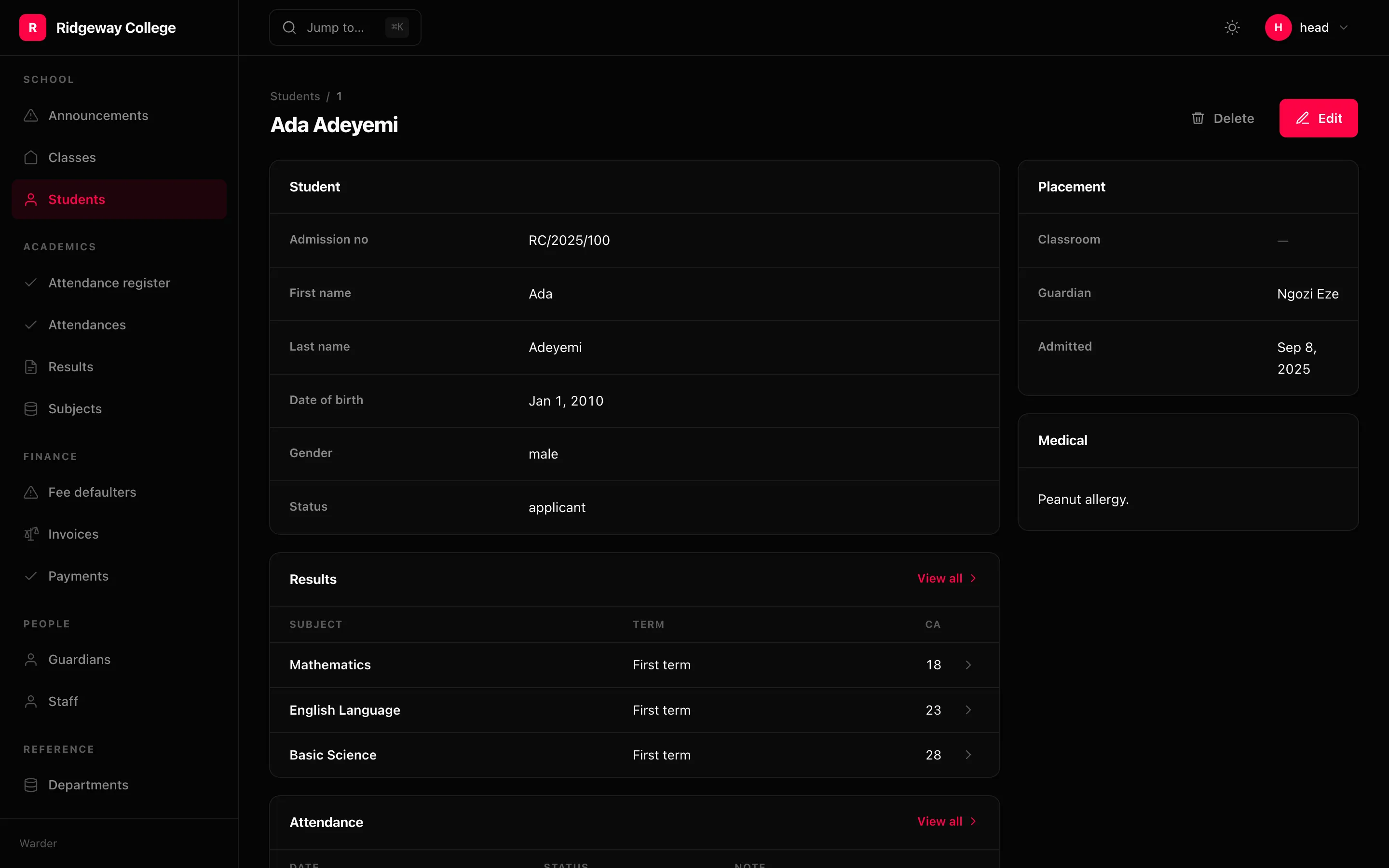
Detail( Panel.fields("Student", "admission_no", "first_name", "last_name", "status"), Panel.related("Results", Result, limit=10), Panel.related("Attendance", Attendance, limit=10, sort=Sort.desc("on")), Panel.fields("Placement", "classroom", "guardian", "admitted", span="side"), Panel.text("Medical", lambda row: row.medical or "Nothing recorded.", span="side"), layout="split",)Five kinds of panel
Section titled “Five kinds of panel”Panel.fields(title, *names) | values from the row itself |
Panel.related(title, model, limit=) | a window onto rows that belong to themselves |
Panel.inline(title, model, via=) | child rows edited in place (rendering only, for now) |
Panel.text(title, render) | prose built in Python |
Panel.custom(title, component, props=) | one of your own React components |
The difference between the middle two is worth knowing: an inline panel edits child rows and saves with the parent; a related panel is a read-only window onto rows that belong to themselves and links out to their own screens.
Values are formatted the way the list formats them
Section titled “Values are formatted the way the list formats them”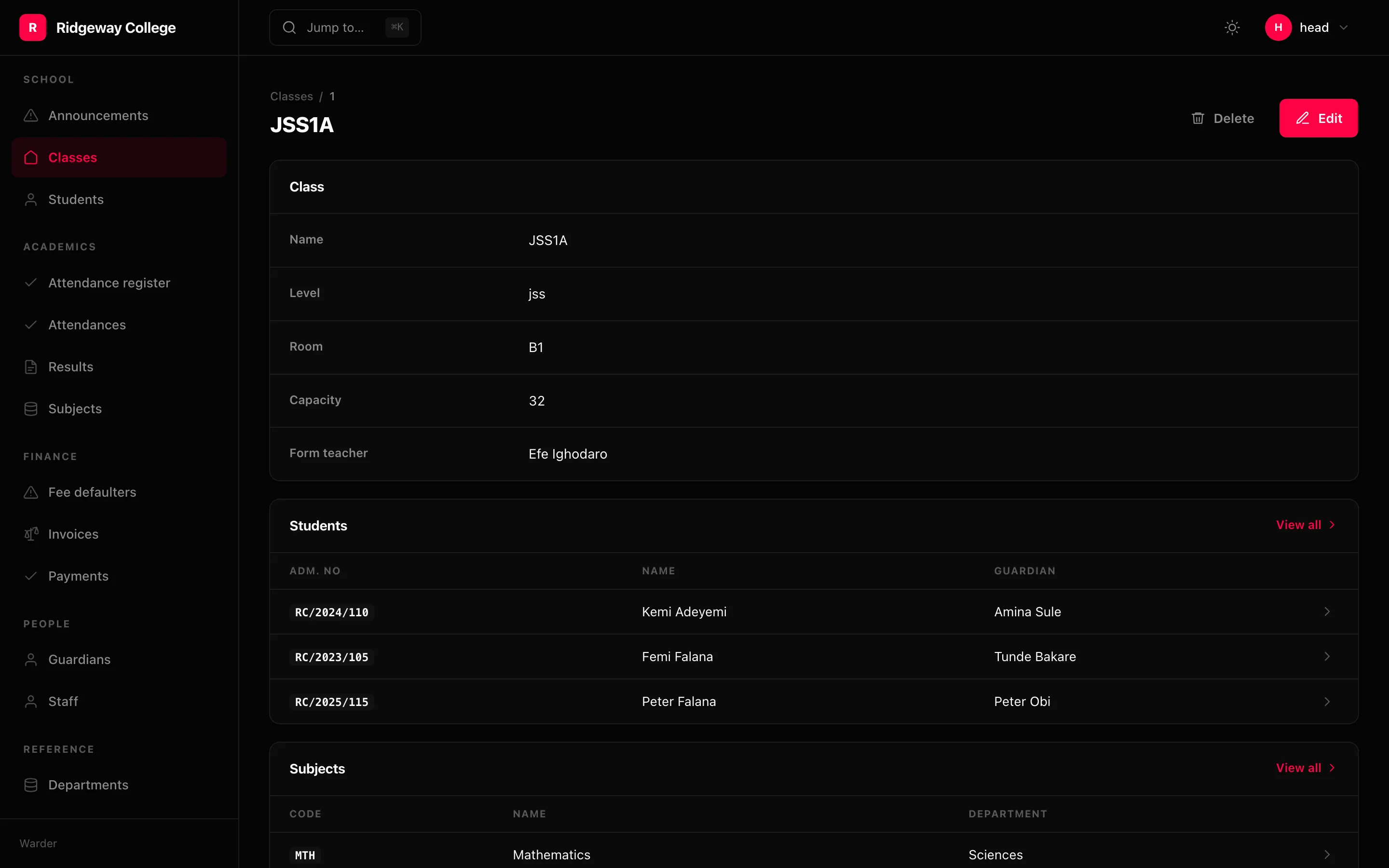
A Panel.fields takes names or whole Columns, and a bare name is dressed from
the schema at mount — so a status is a badge and a date reads “12 May 2025”,
exactly as on the list. A status drawn as a badge on the list and as raw text one
click away is two answers to the same question.
Panel.fields("Numbers", "words", Column.money("fee", "EUR"))Child tables reuse the child’s own columns
Section titled “Child tables reuse the child’s own columns”A Panel.related over a registered model draws the first three columns of
that resource’s list. So “Comments” on a post formats status and money exactly
the way the Comments screen does, and nobody declared it twice — and it stays in
step when somebody changes that screen.
The column pointing back at the parent is dropped: every comment on a post’s panel has the same post, and a column of one repeated value only takes up room.
It shows the count it did not show, and links to the full list — pre-filtered only when the child’s list has a filter that would honour it. Otherwise the query string does nothing and reads as a broken filter rather than a link that was never going to filter.
Layout
Section titled “Layout”Panel.fields("Overview", ..., span="main") # the defaultPanel.fields("Numbers", ..., span="side") # the right-hand columnPanel.custom("Chart", "acme/Revenue", span="full")layout="split" gives a main column and a sidebar; "stacked" is one column.
Access, per panel
Section titled “Access, per panel”Panel.fields("Salary", "salary", access=Access(view="staff.salary.view"))A panel this person may not view is dropped entirely rather than returned empty — the same rule as a column, for the same reason.
Titles
Section titled “Titles”Detail(..., title=lambda row: f"{row.first_name} {row.last_name}")A string or a callable. Without one it is str(row).